> ## Documentation Index
> Fetch the complete documentation index at: https://serval-hannah-docs-custom-access.mintlify.site/llms.txt
> Use this file to discover all available pages before exploring further.
# Access Policies
> Description of your new file.
**Access policies are a core component...**
*
### Set Access Policies Components
Access policies control maximum access length, business justification requirements, and approval workflows.
**Select or create an access policy**
1. Select "**Create policy**" or **select an existing access policy**
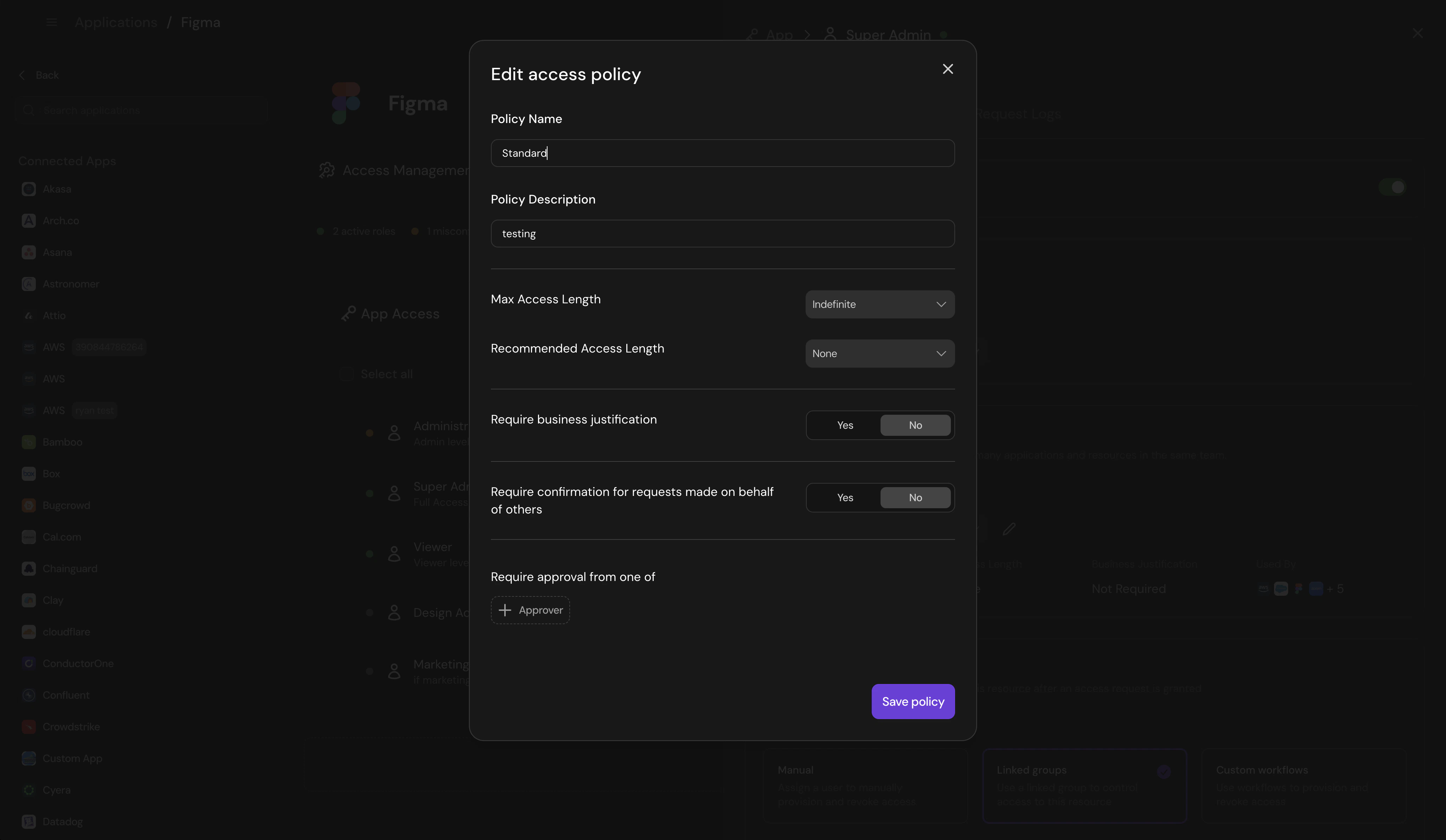
2. For any policy, set up or confirm that the following fits your needs.
* **Policy Name:** Descriptive name (e.g., "General Access")
* **Policy Description:** What the policy covers
* **Max Access Length:** Indefinite or time-limited
* **Require business justification:** Toggle on/off. Serval will decide what is a reasonable business justification. You can adjust specifications around business justification in guidance.
* **Require confirmation for requests made on behalf of others:** Toggle on/off
* **Require approval from:** Add either an individual or a group of approvers. You may add multiple approver steps as well.
3. Click "Save policy"
 ## **Managing access policies**
To manage access policies, navigate to the relevant team --> click the "..." on the right --> select "access policies"
You can configure
* default
* all other centralized access policies
* Add other roles that the policy should be applied to from this location
## **Managing access policies**
To manage access policies, navigate to the relevant team --> click the "..." on the right --> select "access policies"
You can configure
* default
* all other centralized access policies
* Add other roles that the policy should be applied to from this location