> ## Documentation Index
> Fetch the complete documentation index at: https://serval-hannah-docs-custom-access.mintlify.site/llms.txt
> Use this file to discover all available pages before exploring further.
# Approvals
Serval workflows can be configured to require approvals before execution. This provides an additional layer of control and security for sensitive operations in your organization.
## Overview
Workflow approvals in Serval offer flexible options to match your organization's approval processes:
* **Individual Approvers**: Specify one or more users who can approve the workflow.
* **Group-based Approvals**: Leverage groups created in Serval or synced from external systems. Multiple groups can be added to a single approval step.
* **Manager Approvals**: Automatically route approvals to the requester's manager.
* **Multi-step Approvals**: Create approval chains where multiple parties must approve in sequence.
* **Self-Approval**: Toggling self-approval enables users, who are also approvers for the workflow, to approve their own requests.
 ## Configuring Workflow Approvers
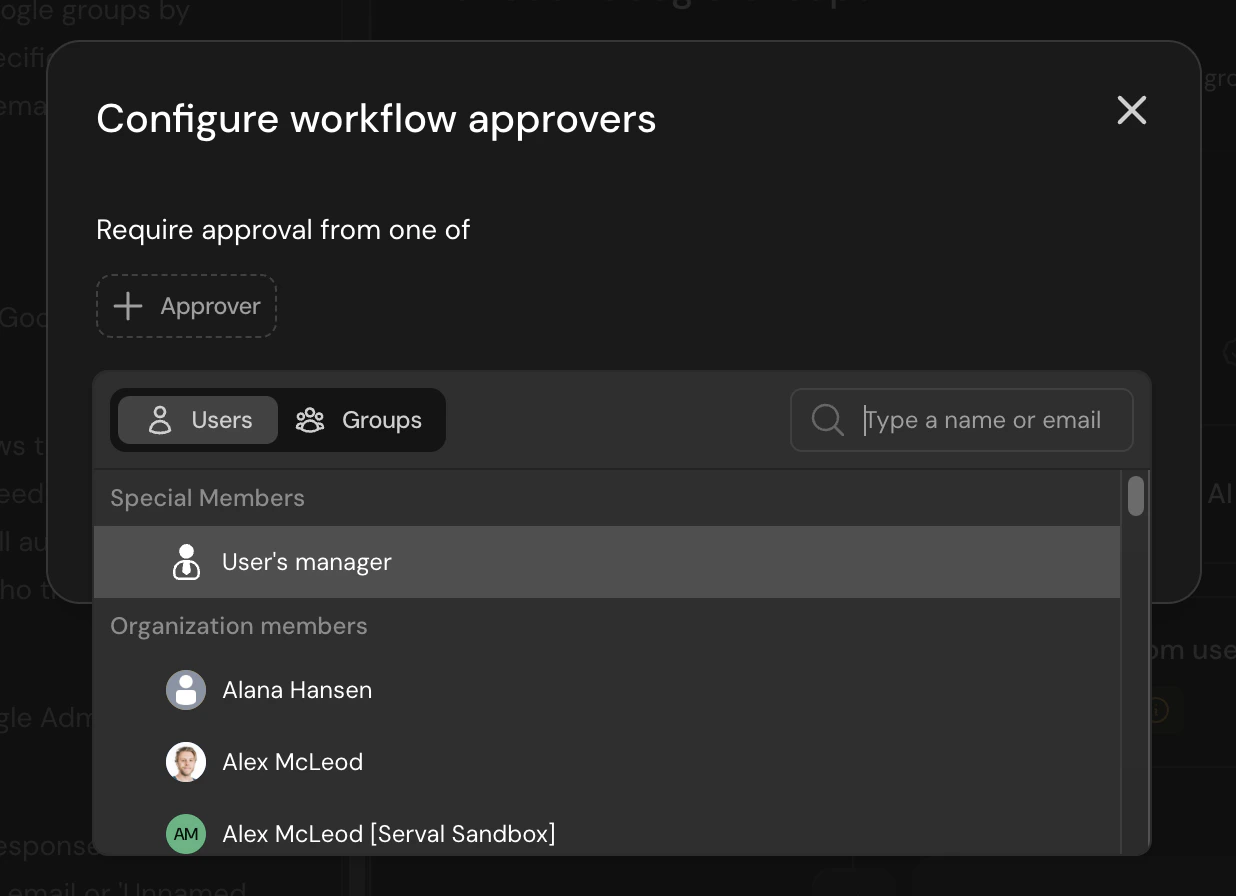
To configure approvers for a workflow, click **Add Approvers** above the workflow blocks. This will open the workflow approvers configuration dialog.
## Configuring Workflow Approvers
To configure approvers for a workflow, click **Add Approvers** above the workflow blocks. This will open the workflow approvers configuration dialog.
 ### Adding Approvers
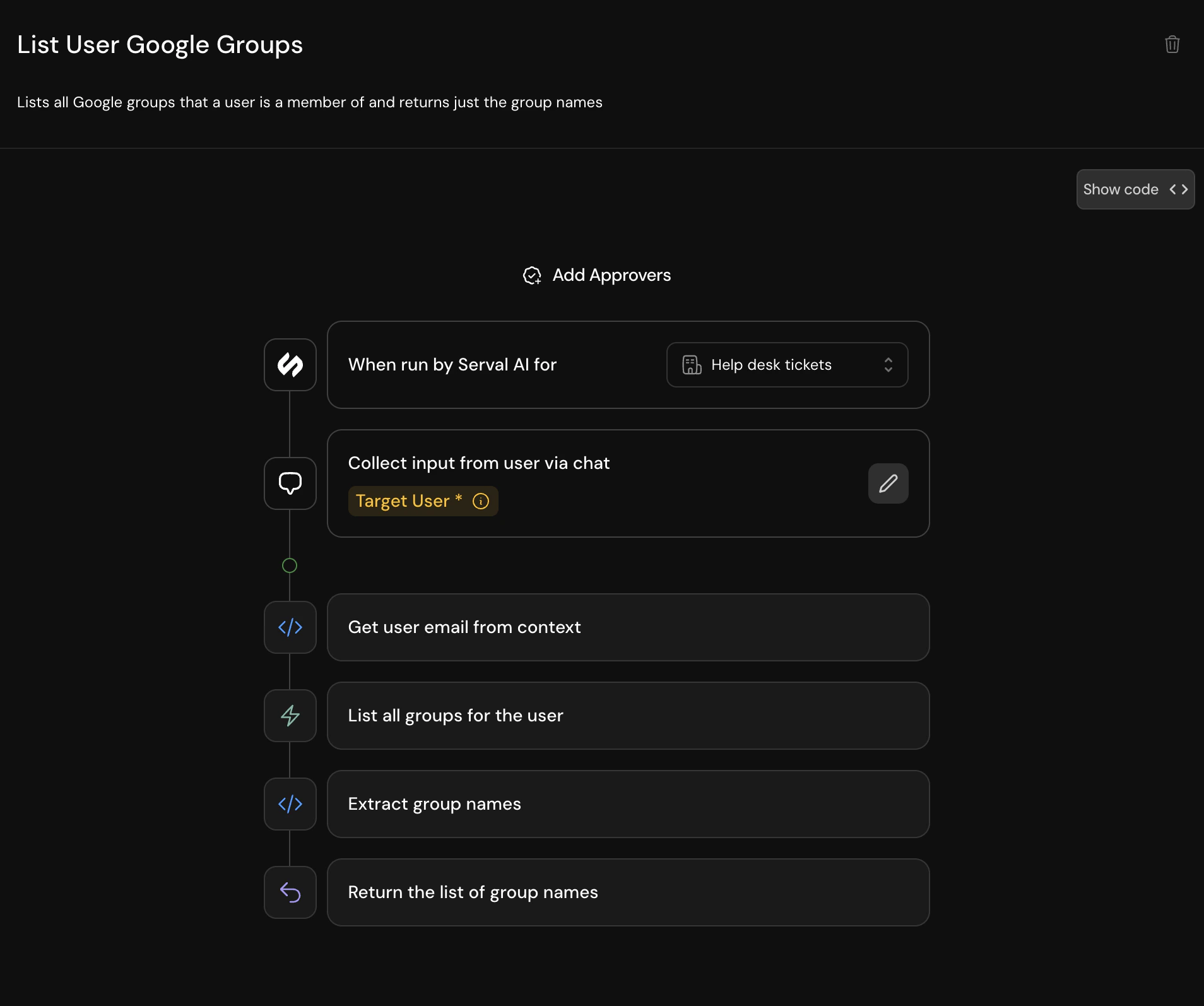
In the configuration dialog, you can:
1. **Select Users or Groups**: Use the toggle to switch between individual users and groups
2. **Search for Approvers**: Type a name or email to find specific users or groups
3. **Add Special Members**: Select "User's manager" to automatically route to the requester's manager
4. **Configure Self-Approval**: Toggle whether approvers can approve their own requests
### Multi-step Approval Process
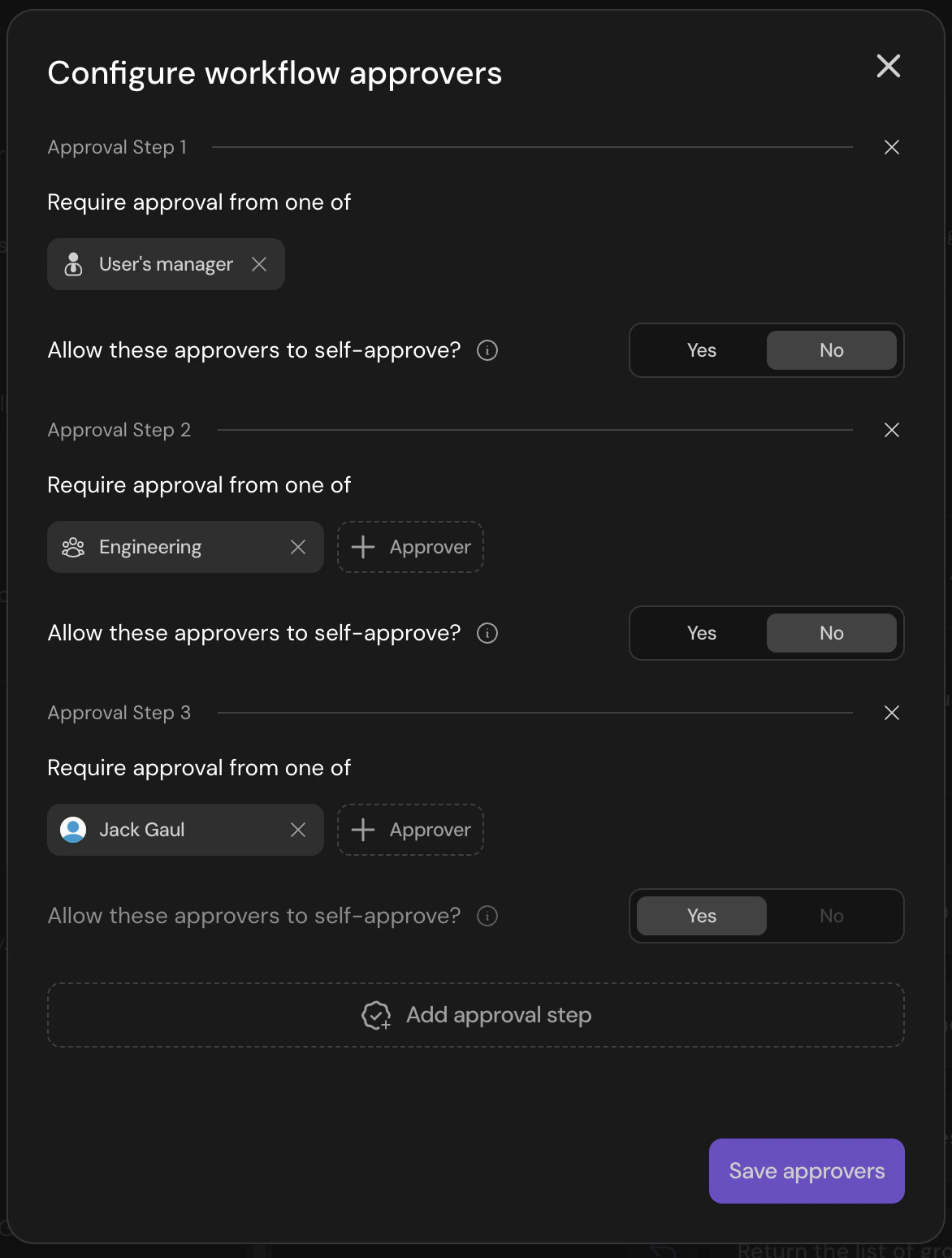
For workflows requiring multiple levels of approval, you can add additional approval steps by clicking "Add approval step". This allows you to create approval chains such as:
1. First, the requester's manager must approve
2. Then, a member of the Engineering team must provide approval
3. Finally, a specific member of the IT team must provide final approval
### Adding Approvers
In the configuration dialog, you can:
1. **Select Users or Groups**: Use the toggle to switch between individual users and groups
2. **Search for Approvers**: Type a name or email to find specific users or groups
3. **Add Special Members**: Select "User's manager" to automatically route to the requester's manager
4. **Configure Self-Approval**: Toggle whether approvers can approve their own requests
### Multi-step Approval Process
For workflows requiring multiple levels of approval, you can add additional approval steps by clicking "Add approval step". This allows you to create approval chains such as:
1. First, the requester's manager must approve
2. Then, a member of the Engineering team must provide approval
3. Finally, a specific member of the IT team must provide final approval
 ## Best Practices
* **Use Groups for Scalability**: Instead of adding individual users, consider using groups to make approval management easier as your team grows
* **Leverage Manager Approvals**: For requests that need hierarchical approval, use the "User's manager" option
* **Consider Self-Approval Settings**: Carefully evaluate whether approvers should be able to approve their own requests based on your security requirements
* **Document Approval Chains**: For complex multi-step approvals, document the approval flow for your team's reference
* **Sole Approver**: In the case of a specified user to be the sole approver, it is recommended that you turn on self-approval. Otherwise, the workflow will be unable completed whenever the requester is also the sole approver.
## Best Practices
* **Use Groups for Scalability**: Instead of adding individual users, consider using groups to make approval management easier as your team grows
* **Leverage Manager Approvals**: For requests that need hierarchical approval, use the "User's manager" option
* **Consider Self-Approval Settings**: Carefully evaluate whether approvers should be able to approve their own requests based on your security requirements
* **Document Approval Chains**: For complex multi-step approvals, document the approval flow for your team's reference
* **Sole Approver**: In the case of a specified user to be the sole approver, it is recommended that you turn on self-approval. Otherwise, the workflow will be unable completed whenever the requester is also the sole approver.