

Role-only access logs
- Navigate to Applications > select the relevant application > Select the role > Click the Request Logs tab.
- To download as a CSV, click the Download button.
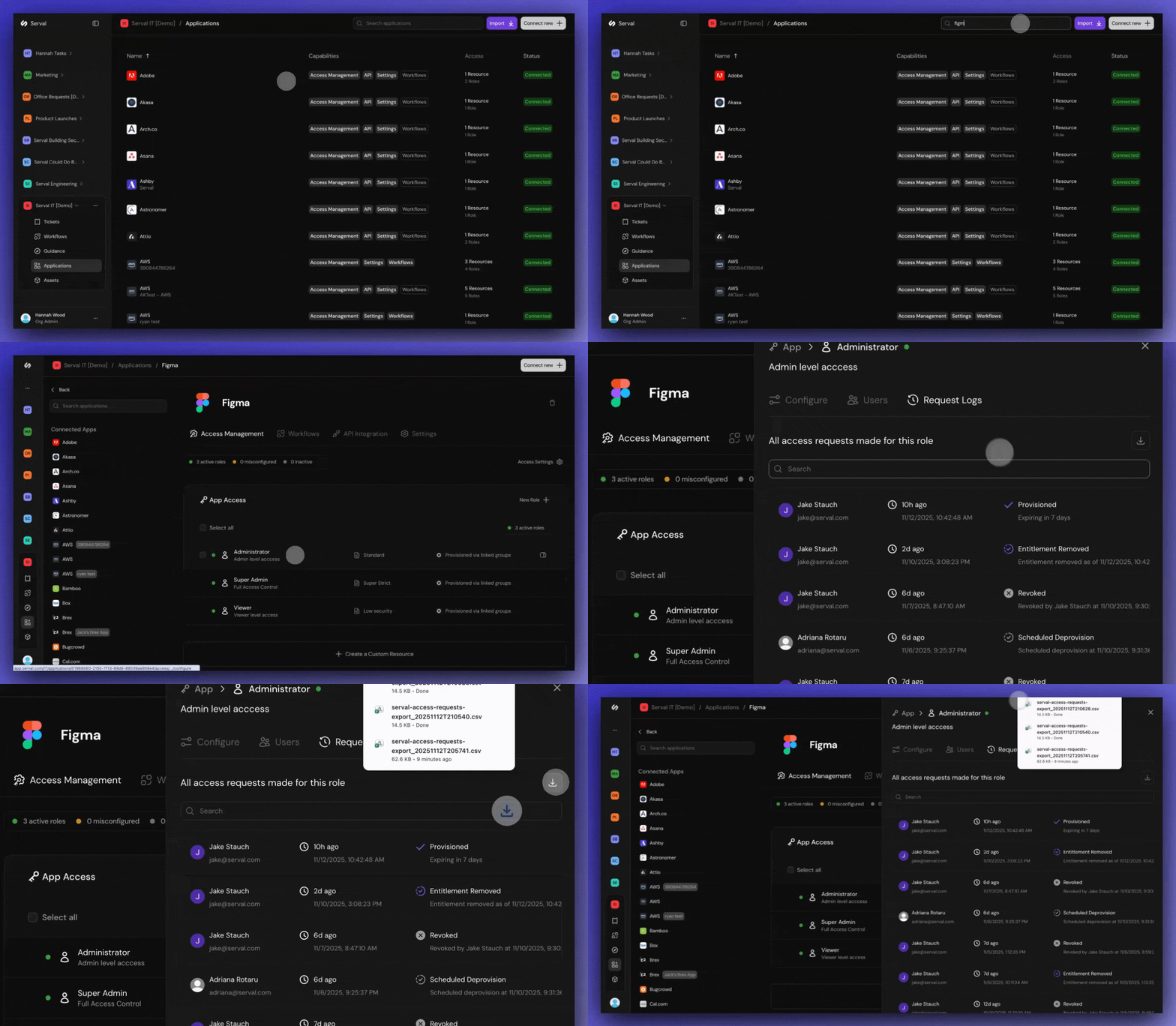
Role-only access logs
All access logs across teams
- Navigate to Analytics > Tickets > click the Download button.
- Both the tickets and access logs download as a CSV with the following columns: Ticket ID, Ticket Number, Team, Ticket Name, Description, Created At, Completed At, Escalated At, Created By, Assigned To, Status, Escalation Level, Priority, SLA Started At, SLA Breaches At, Labels, Workflow Calls, AI Feedback.
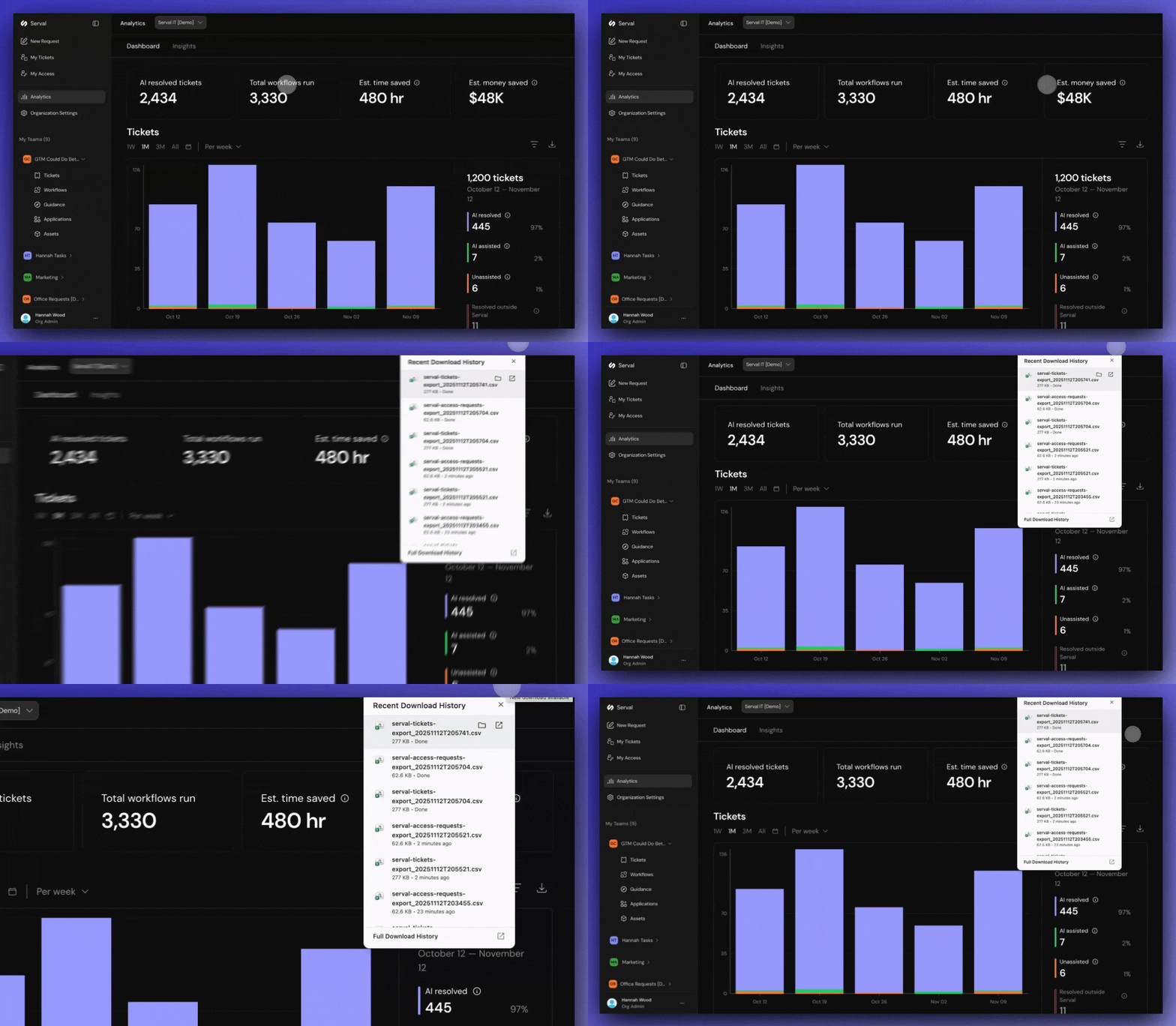
All access logs across teams